Perguntas frequentes
The lenses for CO₂, Fiber, and UV lasers are not interchangeable.
The main reason is that each laser works at a very different wavelength (CO₂ ~10.6 μm, Fiber ~1064 nm, UV ~355 nm).
Because of this, the lens material and optical coating are specifically designed for that wavelength to ensure proper transmission, focus quality, and thermal stability.
Using a lens designed for one wavelength on a different laser type would result in poor performance and could even damage the lens.
Therefore, each laser type requires its own dedicated lens.
For more information, please link:
Good question.
Historically, early UV lasers were sometimes based on Nd:YAG.
However, for modern industrial UV marking applications, Nd:YVO₄ has become the preferred choice.
So, our Hispeed UV Laser Machine is based on Nd:YVO₄ technology.
The fundamental wavelength is 1064 nm, which is then frequency-tripled to generate 355 nm UV output.
Compared with traditional Nd:YAG, Nd:YVO₄ offers higher gain, better efficiency, and better beam stability, which is why it is commonly used in modern industrial UV laser systems.
This makes it especially suitable for high-precision, high-repeatability industrial applications.
In fact, both descriptions are correct.
- “Solid-state”describes the laser medium, which in this case is a solid crystal such as Nd:YVO₄.
- “DPSS” (Diode-Pumped Solid-State)describes the pumping method, where laser diodes are used to excite the solid-state crystal.
The UV laser source used in this system is a Nd:YVO₄-based, diode-pumped solid-state (DPSS) ultraviolet laser.
Most industrial 355 nm UV lasers on the market today are DPSS solid-state UV lasers due to their efficiency, stability, and long-term reliability.
In simple terms
- The infrared laser is generated inside a Nd:YVO₄ crystal
- The wavelength is converted through nonlinear frequency doubling and tripling
- The final output wavelength is 355 nm ultraviolet
Therefore, it is technically correct to describe the system as both:
✔ Solid-state UV laser
✔ DPSS UV laser
1. Recommended water temperature for the UV laser chiller
For UV laser systems, we recommend setting the cooling water temperature at 25°C (±1°C).
This is also the default factory setting of the chiller and is suitable for stable operation of UV solid-state lasers.
2. Are there issues if the temperature is raised or lowered?
Yes, improper temperature settings may cause issues:
- Too high temperature:
May reduce laser output stability and accelerate aging of internal optical components. - Too low temperature:
Can cause condensation, especially in humid environments, which is risky for UV laser optics.
For this reason, we do not recommend frequent or large temperature adjustments. Keeping the water temperature stable is more important than chasing a lower value.
3. What maintenance is required for the water chiller?
Basic and regular maintenance includes:
- Regularly checking the water level
- Keeping the air inlet filter clean to ensure proper ventilation
- Ensuring cooling water hoses are not blocked or bent
- Periodically replacing the cooling water (recommended every 3–6 months, depending on environment)
These points are also highlighted in the chiller maintenance and troubleshooting sections of the manual.
4. What cooling fluid is recommended?
We recommend using clean distilled water ou deionized (DI) water.
Tap water is not recommended, as minerals and impurities may cause scaling and reduce cooling efficiency over time.

✅ Part 1: LightBurn Installation & First-Time Setup
-
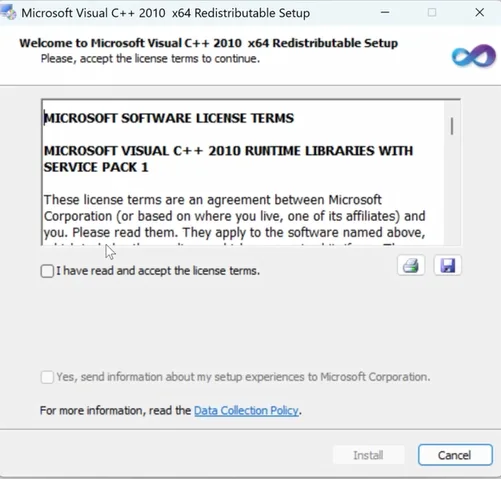
Double-click the LightBurn installer
-
Accept the license terms
-
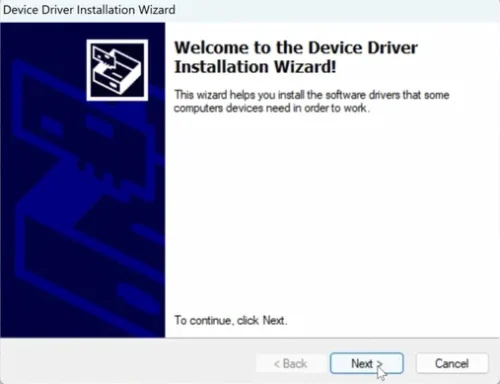
Click “Next” through the installation steps
-
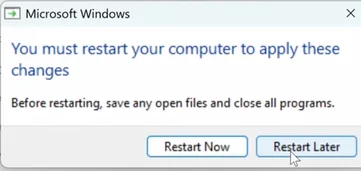
Connect and power ON your laser machine
-
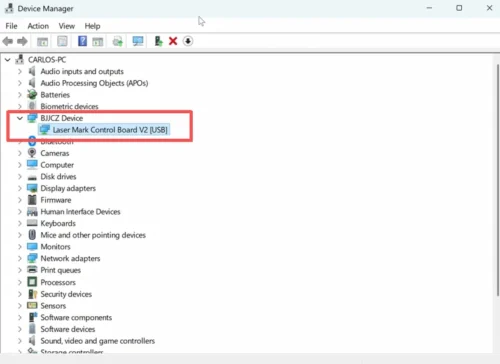
Reopen Device Manager
-
Confirm that the BJJCZ device appears
-
Open LightBurn
-
Start the trial version or enter your license key
-
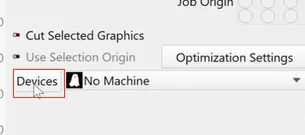
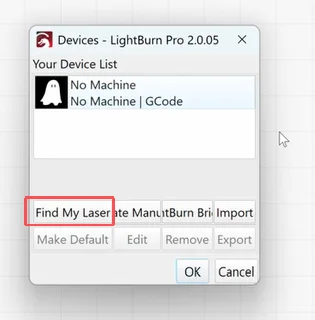
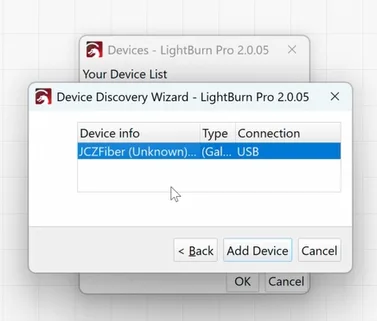
Power on and connect your laser machine
✅ Part 2: Add JCZ Device & Import EZCAD Configuration
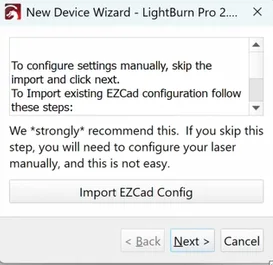
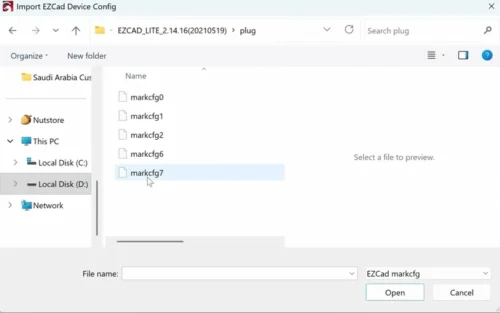
-
Set the correct working area size
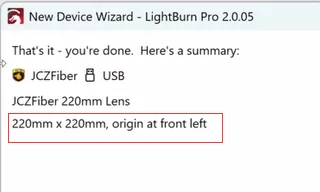
-
Adjust basic machine settings
-
Rename the device (recommended if managing multiple machines)
-
Click Finish
-
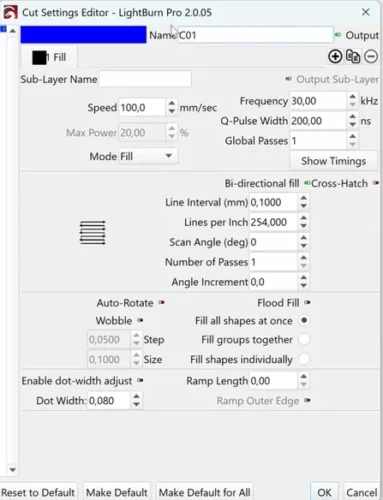
Potência
-
Velocidade
-
Frequência
-
Line spacing
How to Switch Between EZCAD and LightBurn
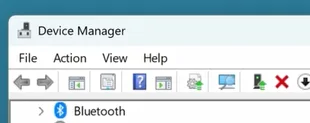
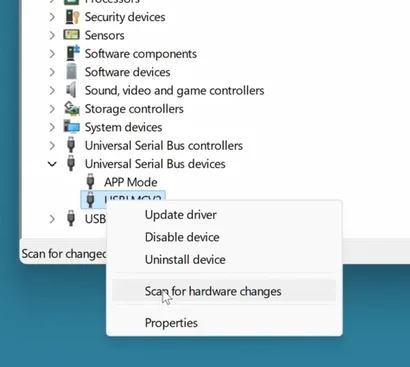
-
Ports
-
Or Other devices
-
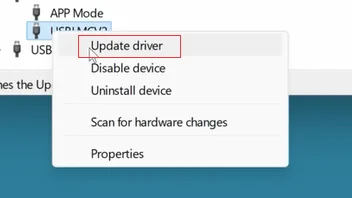
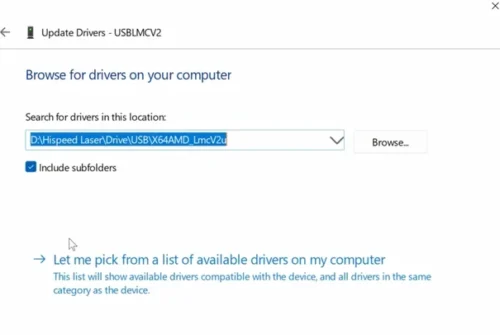
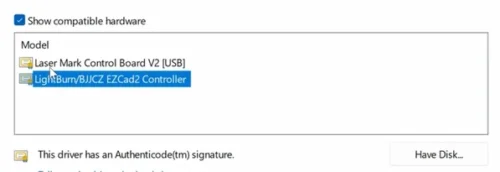
USBLMCV2 (LightBurn driver)
-
BJJCZ (EZCAD driver)
-
USBLMCV2 → to use LightBurn
-
BJJCZ → to use EZCAD