INDUSTRIAL & COMMERCIAL LASER SOLUTIONS

Laser Engraving Machine for Acrylic: Complete Buyer’s Guide from HiSpeed Laser

Acrylic is one of the most popular materials for signage, awards, and displays. But not every laser handles it well. This guide breaks down which machines work, which settings matter, and how to choose the right laser engraving machine for acrylic.

Request Acrylic Sample Test Get OEM/ODM Quote

Quick Answers: Which Laser Engraver for Acrylic and Why It Matters

CO₂ lasers are the industry standard for acrylic processing. They cut and engrave clear, colored, and mirrored acrylic with clean results. If acrylic is your main material, a CO₂ laser is the answer.

HiSpeed Laser offers CO₂ machines with laser tube power from 100W to 300W. These handle both engraving and cutting acrylic up to 20–30 mm in a single pass. That range covers most small business and industrial needs.

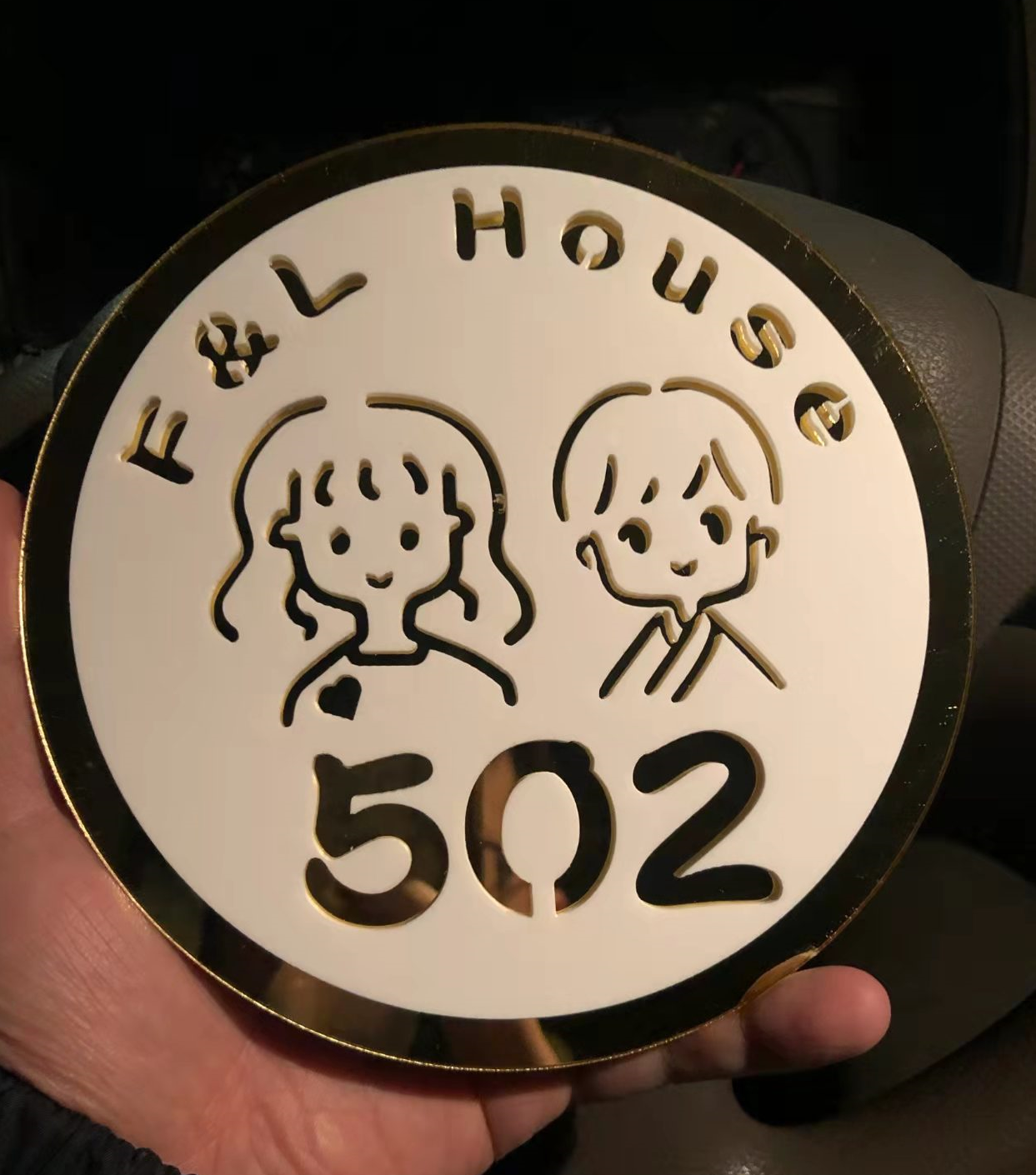
Common use cases include illuminated signage, awards, retail display parts, branded panels, and personalized gifts. A small business can build strong revenue with just acrylic and a reliable CO₂ laser engraver and cutter.

How Laser Technology Interacts with Acrylic

Acrylic (PMMA) is a thermoplastic. It transmits visible light but absorbs infrared radiation. This property makes it respond well to certain laser technology and ignore others.

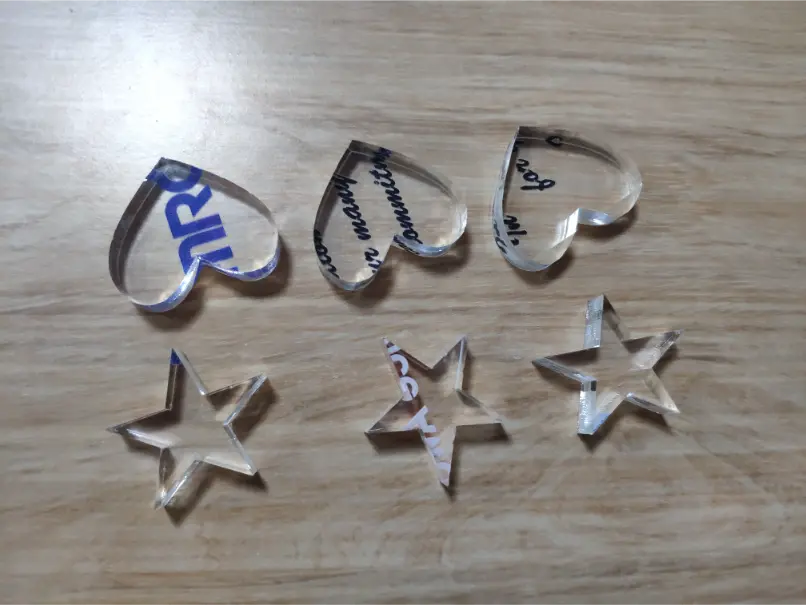
Laser engraving removes material from the surface. It leaves a frosted, milky white texture on cast acrylic. Laser cutting goes through the full thickness to separate parts. It produces a glossy, flame-polished edge when done right.

CO₂ Wavelength: 10,600 nm

Acrylic absorbs this wavelength with high efficiency. The beam vaporizes the material and creates clean cuts with smooth surfaces. CO₂ lasers are ideal for cutting and engraving acrylic.

Diode Spectrum: 400–1,000 nm

Standard blue diode lasers cannot cut or engrave clear acrylic. The light passes through transparent sheets. They work on dark, opaque acrylic only.

Fiber Wavelength: ~1,064 nm

This wavelength targets metals and certain materials like ceramics. Fiber lasers cannot cut acrylic due to poor absorption. They are not suitable as acrylic laser cutters.

How Laser Technology Interacts with Acrylic

Cast vs Extruded Acrylic: Which One for Engraving and Cutting?

Knowing your acrylic type is critical. It changes how you set up your machine. It also changes the results you get. Acrylic materials can be divided into clear, opaque, and colored categories. But the manufacturing method matters even more.

Cast Acrylic

  • Made from liquid acrylic poured into molds.
  • Engraves with a bright, frosty white finish.
  • Better for engraving than extruded acrylic.
  • Best uses: Awards, plaques, nameplates, and back-engraved signs.

Extruded Acrylic

  • Rolled through a continuous process; less expensive than cast acrylic.
  • Produces glossy, flame-polished edges when laser cut.
  • Has tighter thickness tolerances, helping parts fit together accurately.
  • Best uses: Structural parts and clean-cut assembly components.

Industrial Buyer Tip:

Many industrial buyers mix both types. They use cast acrylic for engraving zones and extruded acrylic for structural parts. Both cast and extruded acrylic can be processed with CO₂ lasers. Choose based on whether you need detailed engraving or clean-cut assembly parts.

Ask for Advice
acrylic_laser_cutting_and_engraving_samples

Choosing the Right Laser Type: CO₂, Diode Lasers, and Fiber

Think of CO₂ as the acrylic specialist. Diode laser engravers serve as budget entry tools. Fiber lasers handle different materials like metals and some plastics.

A CO₂ laser cutter excels at acrylic processing. It handles clear, colored, and mirrored acrylic sheets. It delivers polished edges and precise cuts. Power ranges from 40W for thin sheets to 300W+ for thick production jobs.

Diode lasers cost less. They can engrave and cut dark acrylic. But they cannot match industrial throughput. They struggle with clear or light acrylic. For a beginner friendly entry into opaque acrylic, a desktop laser diode might work. For serious production, it falls short.

Fiber lasers from HiSpeed target metals and some plastics marking. Buyers should not choose them as primary acrylic laser cutters. Learn more about CO₂ laser vs fiber laser differences.

CO₂ Breakdown

Best for all acrylic. Cuts up to 20–30 mm. Premium quality edges. Works across many materials including wood, leather, paper, and glass.

Diode Breakdown

Dark opaque acrylic only. Cuts a few mm at most. Slow. Compact size and low price.

Fiber Breakdown

Metals and certain materials. Cannot cut clear acrylic. Primarily designed for marking and metal engraving.

Power and Thickness: How Many Watts Do You Need?

Laser power defines your maximum cut thickness. It also controls your production speed. Pick too little power and you waste time with multiple passes.

A practical rule of thumb: Use 10 watts of laser power per 1 mm of acrylic. So a 100W CO₂ laser tube handles 10 mm acrylic in one pass. A 200W machine handles 20 mm in a single pass.

40W–60W CO₂

Delivers excellent results for precision engraving and detailed work on thinner acrylic. A 55W CO₂ laser handles most engraving jobs with ease.

80W–100W CO₂

Frequent cutting up to 8–10 mm. Good for thin signage and display parts.

130W–180W CO₂

Handles 15–20 mm. Suits heavier panels and architectural pieces.

200W+ CO₂

Cuts 20–30 mm acrylic. Enables high speed, high-volume production. Trotec machines, for example, can cut acrylic sheets up to 30 mm thick.

Higher power increases cost and footprint. But it delivers faster cycle times and better margins. Higher wattage also reduces the need for multiple passes on thick material.

Consider near-future upgrades too: if you plan to expand into thicker signage or faster throughput, buy more laser wattage now.

Find Your Ideal Wattage

Best Machine Features for Acrylic Processing

Use this as a checklist when you evaluate the best laser cutters and best laser engravers for acrylic.

Core Hardware Essentials

  • Stable motion system: Reduces vibration. Delivers precision engraving.
  • Precise autofocus: Maintaining precise focal height is important for quality acrylic engravings. Look for adjustable Z-axis controls.
  • High quality optics: Mirrors and lenses that resist IR buildup. Replace them on schedule.
  • Adjustable air assist: Improves engraving and cutting quality on acrylic. Helps clear smoke without cooling the cut too fast.

Workbed, Alignment & Safety

  • Safety & Enclosure: Enclosed laser machines provide safety and effective fume extraction when working with acrylic. A fully enclosed design with door interlocks and a built-in exhaust connection protects operators. Acrylic-compatible fume extraction keeps the workspace safe.
  • Honeycomb workbed: Minimizes reflections and ensures clean cuts on acrylic.
  • Camera & Pointers: Camera systems or red-dot pointers help align pre-shaped parts. Some machines offer dual cameras or a built in HD camera for precise placement. The WeCreat Vision system is one example of camera-aided alignment in compact machines.
  • Working Area Size: Match your bed size to common acrylic sheets. The xTool P2/P2S offers a working area of 600 × 305 mm. The Atomstack Hurricane has a maximum working area of 500 × 300 mm. HiSpeed offers larger beds at 900 × 600 mm and 1,200 × 900 mm for production-scale work.
CO2_laser_marking_device_laser_marking_machine_and_laser_engraving_machine

Our Top Recommended Acrylic Laser Engraver:

HiSpeed 30W/60W CO2 Laser Marking Machine & Laser Engraving Machine

CO2 laser marking machine adopts the most advanced CO2 RF laser generator and high speed galvo scanner system. With high quality optic devices, high stability laser generator, full automatic control system. The machine system working with high precision and fast speed, very stable performance, can work continuously for a long time and can be applied directly in large quantities of online processing lines.

Get a Quote for This Machine

Process Settings: Cutting & Engraving Acrylic

Correct settings matter as much as laser power. Even a powerful machine gives poor results with wrong parameters. Take time to dial in your laser cutter settings for different materials.

  • Speed & Power Balance: lower speed and higher power produce a flame-polished edge on extruded acrylic. Laser cutting acrylic produces a glossy, flame-polished edge when you balance these right. Faster speeds reduce heat buildup but can leave matte or frosted edges.
  • Air Assist Pressure: Use air assist with care. Moderate air clears smoke and prevents flare-ups. Too much airflow cools the cut path and creates striations. Dial the pressure down compared to what you use for wood or other materials.
  • Bed Elevation: Elevating acrylic reduces backside reflection during cutting. Raise the sheet off the table with pins, spacers, or a honeycomb bed to prevent grid marks or scorch lines on the underside.

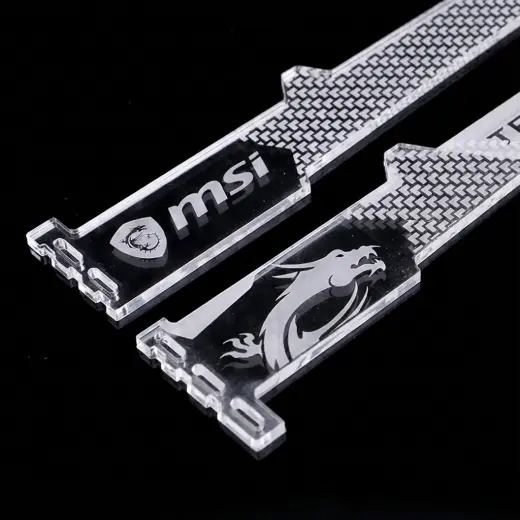
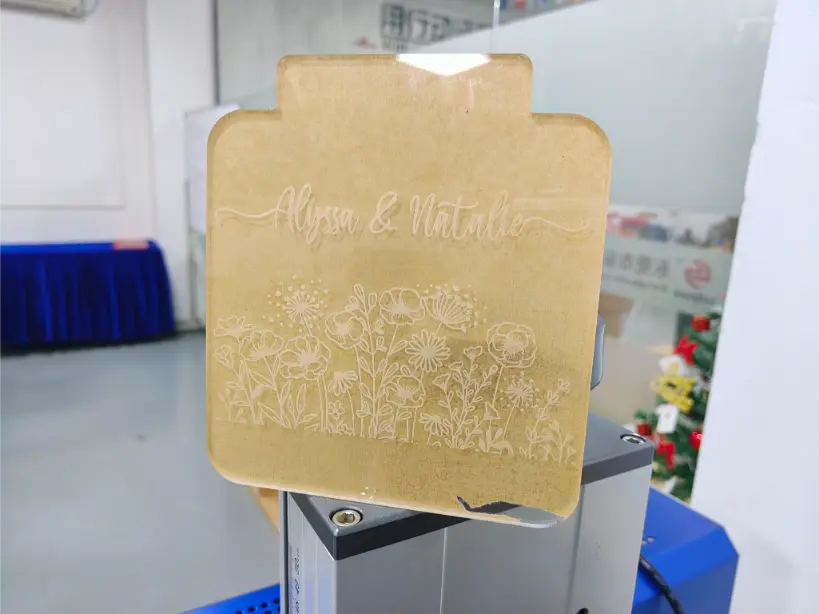
There are three main approaches: Surface engraving removes a thin layer; Deep engraving creates relief; Back engraving lets you view the design through the clear front face.

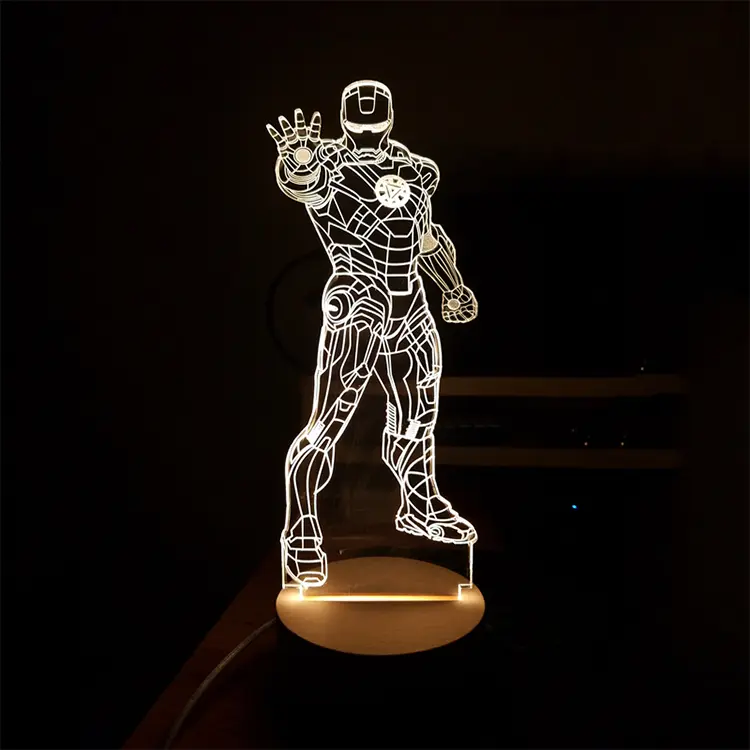
  • Cast Acrylic Advantage: Cast acrylic is ideal for engraving due to its frosty finish. The frosted white effect works well for awards, nameplates, and LED edge-lit signs. This finish diffuses light and creates a strong visual contrast. Learn more in our guide on how to laser engrave acrylic.
  • Back Engraving Method: Requires you to mirror the artwork. Engrave on the rear face. Leave the protective masking on the front. The result is a crisp design viewed through clear acrylic.
  • Speed, Power & DPI: Engraving acrylic is best done at high speed and low power. This avoids melting, warping, or over-burning. The ACMER P3, for example, can reach engraving speeds of 800 mm/s. For engraving finer details, look for laser engravers with at least 1000 DPI capability. High frequency pulse settings also help create cleaner marks.
    Diode laser engravers can engrave dark acrylic. But they cannot deliver the glass-like finish of a CO₂ engraving machine on cast acrylic.
laser_back_engraving_on_clear_acrylic

HiSpeed application engineers supply starting parameter sets by material thickness and acrylic type. New customers can request test cuts using their own acrylic stock.

Talk to an Engineer

Safety and Dust Management When Laser Cutting Acrylic

Acrylic is flammable and can produce small flames at the cut edge. Proper safety steps protect both operators and equipment.

Typical Acrylic Applications for Industry and Small Business

Laser-cut acrylic serves two worlds: industrial production demanding speed and consistency, and creative small businesses demanding flexibility and build quality.

Core Industrial Applications

  • Illuminated shop signs and channel letters
  • Control panels and machine covers
  • Retail display stands and POP materials
  • Protective shields and guards

Creative & Small Business Uses

  • LED edge-lit logos and signs
  • Awards, trophies, and nameplates
  • Event décor and model building parts
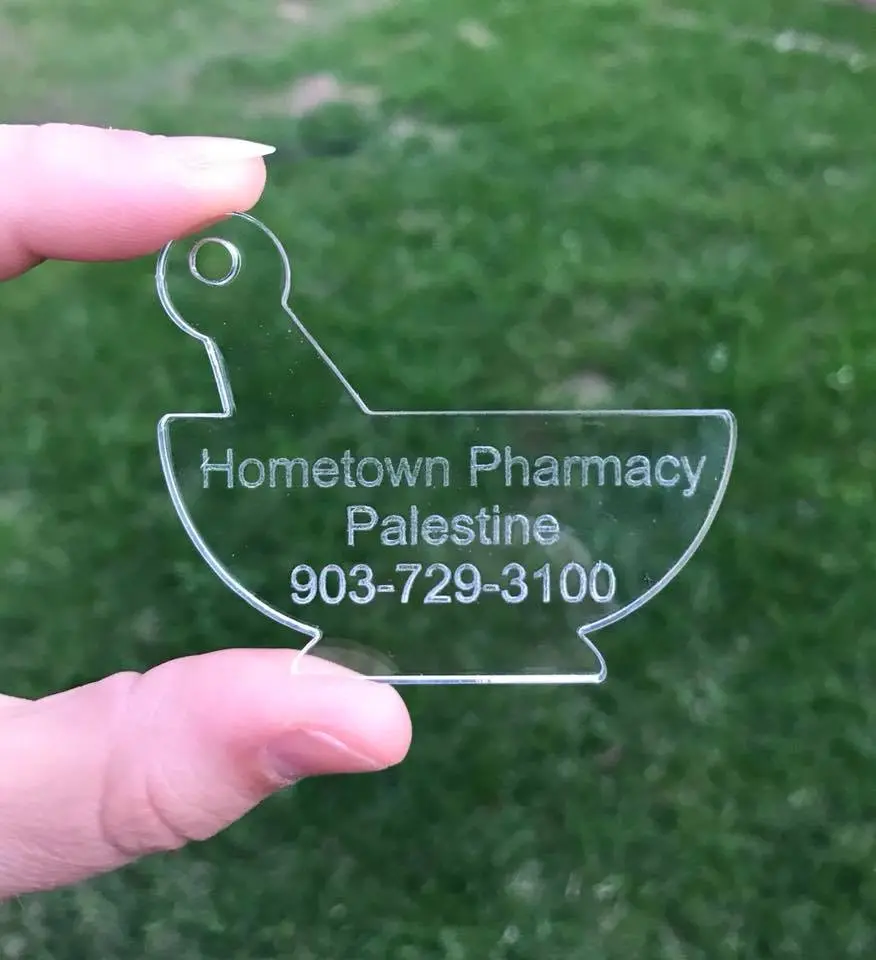
  • Branded merchandise tags and personalized gifts
  • Menu boards and interior design items

Laser technology beats mechanical cutting on several fronts. No blade wear. Fine internal curves and holes. Ready-to-use flame polished edges that eliminate sanding. Explore more ideas to make money with a laser engraver.

HiSpeed OEM/ODM services can integrate acrylic processing lasers into automated lines. This suits higher-volume customers who need to create large batches of display parts or lighted panels.

HiSpeed Laser Solutions for Acrylic Engraving and Cutting

HiSpeed Laser is a B2B manufacturer of industrial laser equipment based in Dongguan, China, providing CO₂, UV, and fiber laser machines with OEM/ODM customization and global support.

Flexible Bed & Power Specs

Our CO₂ laser engraving machines are designed for acrylic processing. Options range from compact desktop laser systems to large-format machines. Bed sizes scale from 600 × 400 mm up to 1,200 × 900 mm and beyond.

Power Specs

We offer laser tubes at 100W, 150W, 200W, and above. These cover everything from detailed engraving on thin acrylic to heavy cutting of thick panels. Our CNC CO₂ laser cutter engraver models suit both small business and industrial production..

OEM/ODM Customization

OEM and ODM options let you specify custom bed sizes. You can add automation interfaces and tailored software for acrylic-heavy production lines. We also offer dual laser head configurations for cutting and engraving in various materials on a single machine.

Contact HiSpeed Laser to request a technical consultation. We offer sample acrylic processing tests with your materials. We also welcome dealer and distributor partnership discussions.

Workflow Optimization: Software, Fixtures, and Quality Control

Stable settings and repeatable workflows cut costs, reduce waste, and prevent rework in acrylic processing.

Software & Workholding Fixtures

  • Material Profiles: Modern laser software stores material profiles. Save settings for different acrylic thicknesses, colors, and finishes. This eliminates setup guesswork.
  • LightBurn Compatibility: Enhances control over laser settings for acrylic. You can fine-tune power, speed, and high frequency parameters per job.
  • Fixtures & Jigs: Simple jigs hold repeat parts in place. They ensure consistent engraving positions across batch runs. Pin tables and honeycomb beds keep sheets flat and stable.

Batch Quality Control Checklist

  • Edge clarity: Look for gloss and polish with no frosting or striations on cut edges.
  • Burn marks: None on the top surface or underside.
  • Engraving depth: Matches specification for engraving capabilities.
  • Part fit: Laser cut acrylic parts snap into assemblies without gaps.

HiSpeed engineers support customers in developing standard operating procedures for efficient 2024–2026 production environments.

Buying Checklist and Next Steps

Use this checklist before choosing a laser engraving machine for acrylic. 

5 Key Purchasing Decisions

  • Laser type: Pick a CO₂ laser cutter for clear and colored acrylic; diode only if dark opaque pieces dominate.
  • Bed size: Match your typical acrylic sheet sizes. Factor in growth.
  • Thickness target: Decide the maximum acrylic thickness you need to cut.
  • Daily hours: Estimate production volume. This drives power and cooling needs.
  • Budget: Balance upfront cost against throughput savings.

5 Upgrades to Consider

  • Power upgrades for thicker cuts or faster speeds
  • Better air assist systems
  • Exhaust system sizing for proper ventilation
  • Spare parts: laser tube, mirrors, lenses
  • After-sales support and warranty coverage

Plan ahead. You may want to add thicker signage, more color acrylic options, or other materials like wood, leather, metal, glass, and paper. A machine that handles many materials and various materials gives you room to grow. A beginner friendly laser can work as a starting point, but spec for where you want to be in two years.

FAQs

The acrylic laser engraving machine is a type of laser equipment for engraving acrylic in various depths. Such laser equipment generally uses CO2 lasers.

The most commonly used engraving and processing material is acrylic, second only to wood. Acrylic engraving machine is easy to cut and engrave. There are various shapes and sizes, and the cost is relatively low.

1. Engraving

Under normal circumstances, acrylic is engraved from the back. In other words, the acrylic engraving machine cuts from the front to make the finished acrylic more three-dimensional. When laser engraver for acrylic back engraving, please mirror the graphics first. The engraving speed of the laser engraver for acrylic should be fast during use, which will make the pictures more smooth. However, if the engraving power of laser engraver for acrylic is too high, uneven stripes will appear on the bottom surface.

If you want to engrave deeper, you can move the acrylic cutting machine a few times. In the case of acrylic cutting machine back engraving, for partial coloring, you should engrave the off-color part darker first, then sand it with flame, and then fill in the color. If not polished, the acrylic color will be uneven when viewed from the front.

2. Cutting

Acrylic is relatively easy to cut. If the customer’s requirements are not high, it can be delivered after cutting without flame polishing. Otherwise, a blowing device should be used when cutting to improve the quality of the cut. When cutting acrylic that exceeds 8mm, it should replace large-size lenses.

Note: The operator cannot leave when the acrylic cutting machine is cutting acrylic. A laser engraving machine for acrylic cutting may have a flame.

3. Cleaning

After we have carved the plexiglass, we can use a damp cloth to clean the surface.

The above is my summary of the use steps of the acrylic laser engraving machine. I hope it will help you.

When we use an acrylic laser engraving machine, it will generate smoke, so don’t worry about this is normal. Due to the laser’s high temperature, PMMA (acrylic) produces fine PMMA particle smoke, and PMMA itself has this odor characteristic. Still, it is solidified and does not diffuse at an average temperature. So don’t worry too much about the smoke generated during use. But long-term inhalation is not very good. Next, I will explain to you the three most common treatment methods.

Filtration and adsorption:

We put filter materials in the place where the machine produces particulate smoke. We need to arrange the filter material perpendicularly or parallel to the flow direction of the flue gas, so that the purification efficiency of the flue gas can reach more than 80%.

Electrostatic purification:

The electrostatic deposition method introduces the oil fume into a high-voltage electric field. The particles in the oil fume and fire fume are charged and moved to the dust collector under the electric field and deposit force. The purification efficiency is usually over 85%, and the pressure drop is small;

Low-temperature plasma:

The principle is to use the high-voltage electrostatic method while setting a plasma field at the front end of the electrostatic field, and use the large number of free radicals excited by its energy to degrade the oil fume particles and reduce the viscosity; during the plasma generation process In the medium, the instantaneous energy generated by high-frequency discharge can open the chemical bonds of some harmful gases and decompose them into elemental atoms or harmless molecules. This technology is currently on the market to treat oil fume and fire smoke, with a high removal rate (less than 90%), good gas effect after treatment, and easy maintenance.

To achieve professional results, you need to consider the material type, engraving direction, and machine configuration:

  • Casting and calendering:

Laser engraving is mainly made of plexiglass produced by casting. The frosting effect it produces after laser engraving is very white, which is in sharp contrast with the original transparent texture. However, the calendaring method’s plexiglass is still transparent after laser engraving, and there is no contrast effect.

  • Back Engraving Technique:

Under normal circumstances, plexiglass adopts the back carving method. That is to say, it is carved from the front and viewed from the back. This makes the finished product more three-dimensional. When engraving on the back, please mirror the graphics first, and the engraving speed should be fast, and the power should provide below. If the power is too high during engraving, uneven stripes will appear on the bottom surface. If you want to engrave deeper, try impressing several times.

  • Machine Configuration:

Acrylic laser engraving machines generally use electric lifting working platforms suitable for engraving and processing objects of various thicknesses, which is convenient and fast. It dramatically improves work efficiency and processing quality. It can also be equipped with a rotary engraving device to engrave various cylindrical and vertebral objects accurately. Compared with the traditional knife mold, the acrylic laser engraving machine has fast speed, high precision, and diversified engraving patterns.

Contact HiSpeed Laser for tailored acrylic processing advice: 

Request a quotation with your target thickness, bed size, and volume. Ask about global after-sales service, dealer partnerships, and OEM/ODM options.

We help you find the machine that fits your workflow today and scales with you tomorrow.

Request a Quotation